 PDigger
Step 1
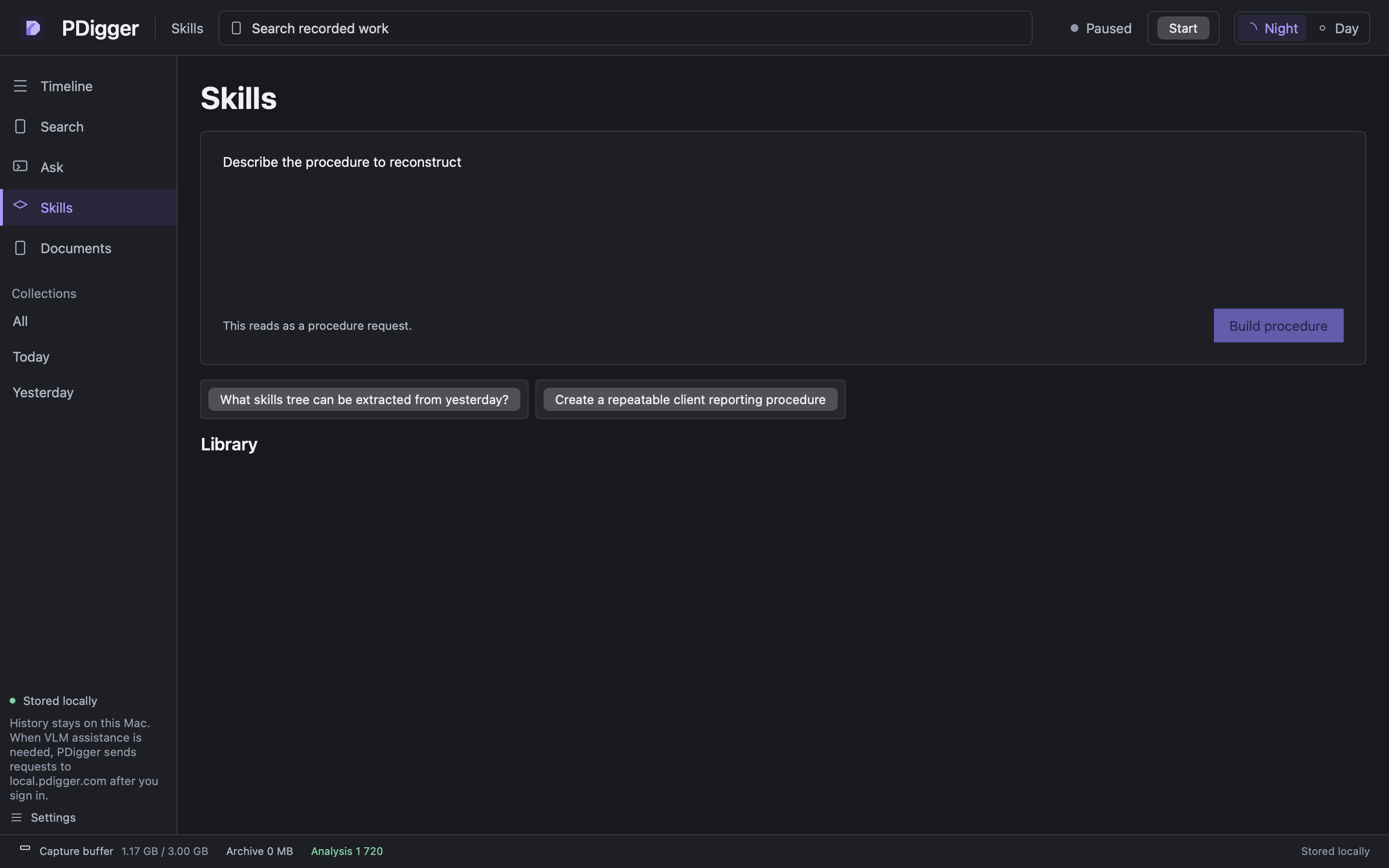
Open Skills
Choose Skills in the sidebar. The question box is the same shape as Ask, in procedure mode. Press Build procedure — that is what reconstructs a skill, even if the helper line still says the wording reads as a question.
Step 2
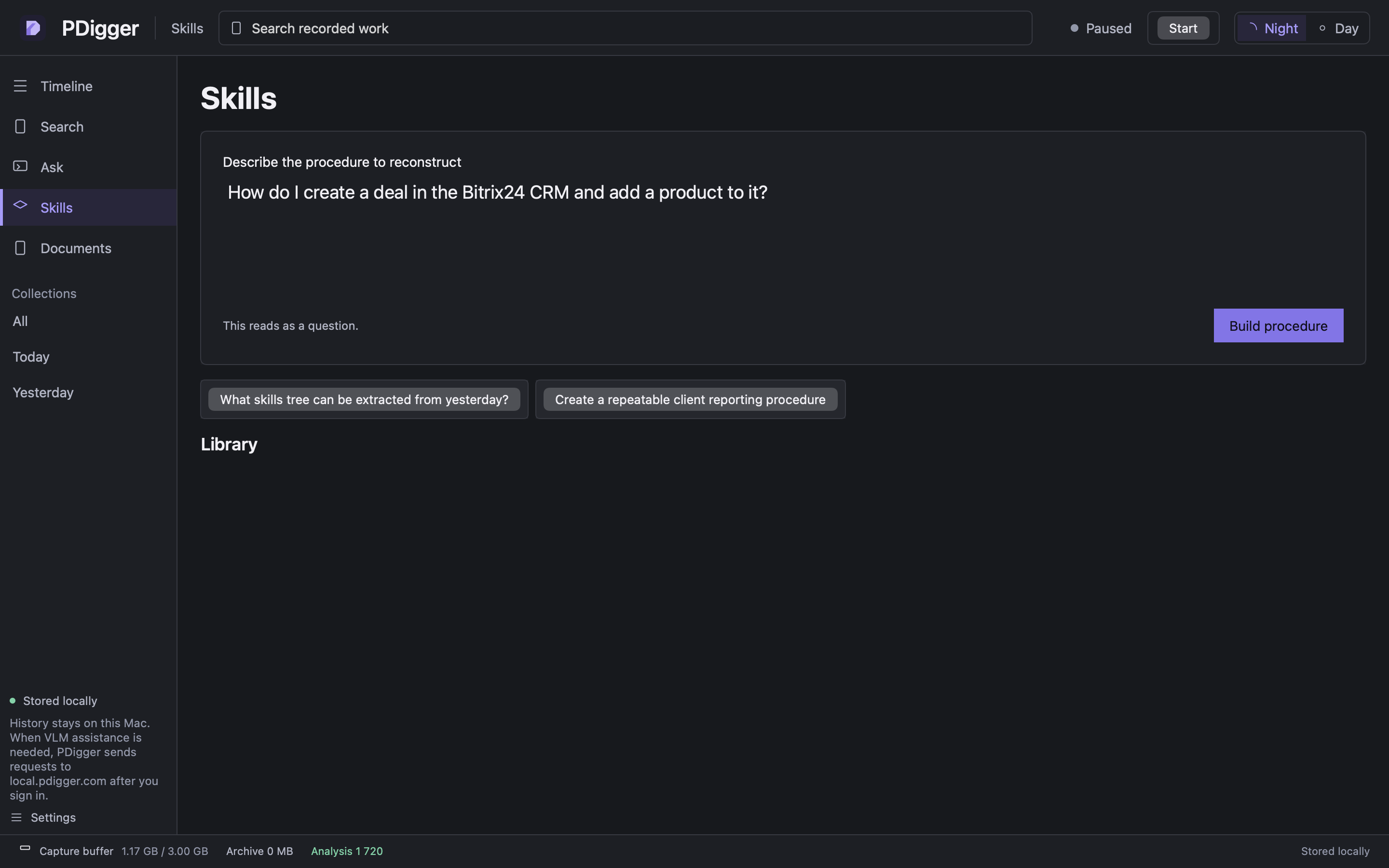
Ask for the Bitrix procedure
A useful prompt: How do I create a deal in the Bitrix24 CRM and add a product to it? Press Build procedure. Progress shows Refining question… then Building procedure…
Step 3
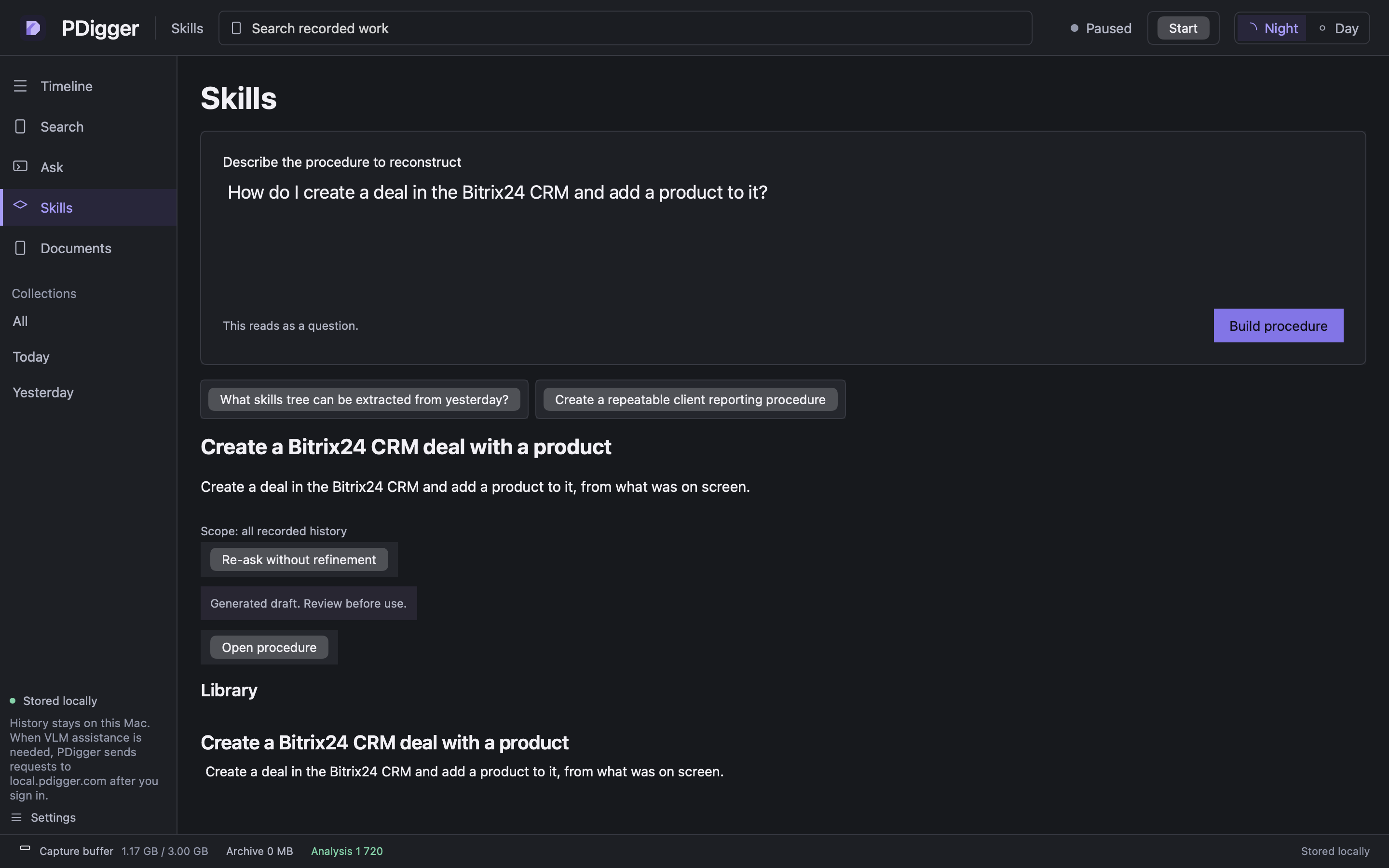
Review the draft
The card is labelled Generated draft. Review before use. Open the procedure to edit the name, purpose and each step. Do not run the steps in Bitrix from PDigger — the app does not execute skills.
Step 4
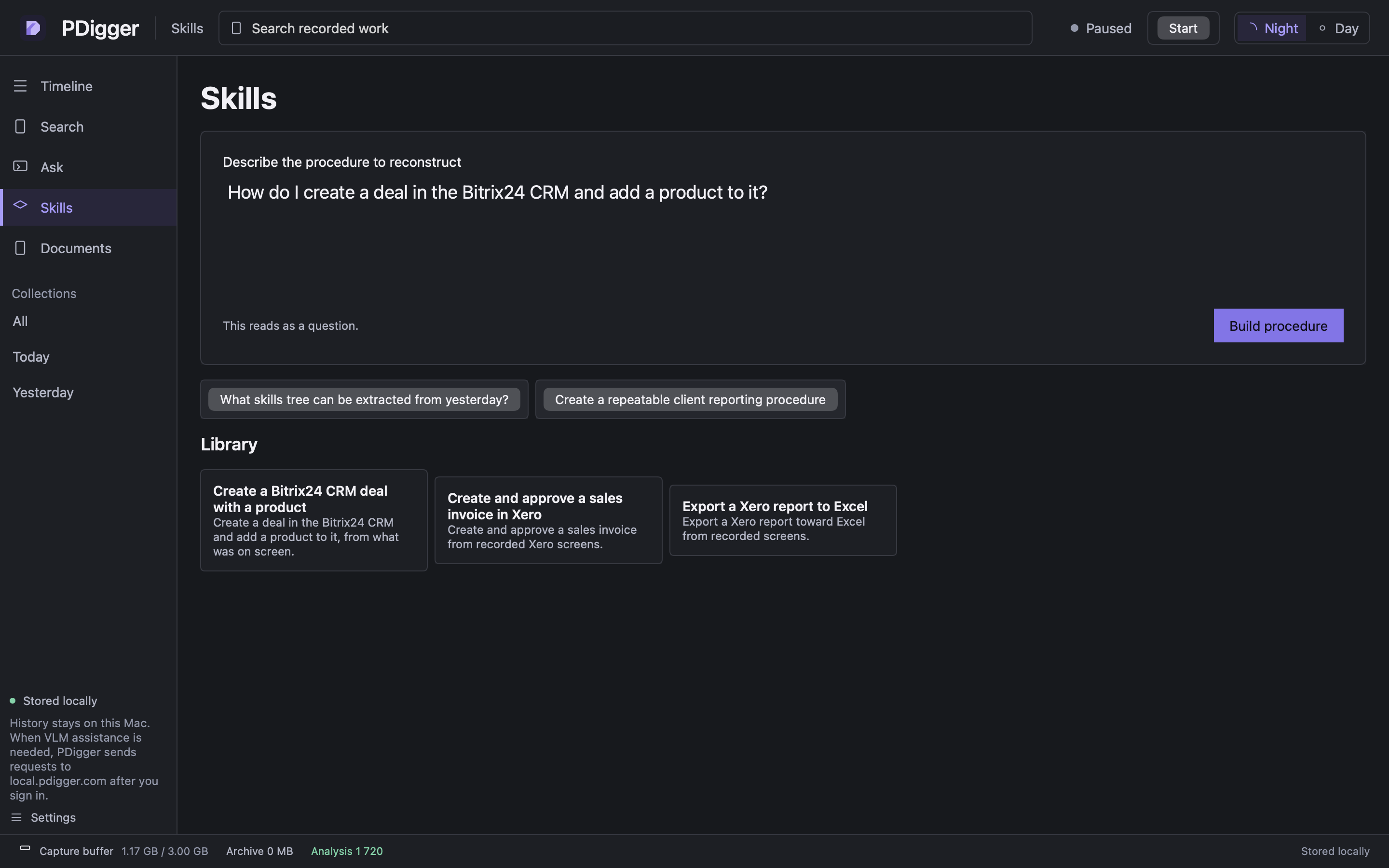
Use the library
Saved procedures appear under Library. Click a card to open it. When there are more than one page, Show more loads the next page.
Step 5
Export a copy or install the skill
In the skill editor, Export Markdown writes skill.md and Export JSON writes skill.json; Export saves a file you choose. Install into Claude, Install into ChatGPT and Install into Cursor write a SKILL.md into that app's skills folder in your home folder (~/.claude/skills, ~/.agents/skills linked from ~/.codex/skills, ~/.cursor/skills), and the status line under the buttons names the file and how to call the skill in that app. Nothing is sent anywhere, and PDigger never replaces a SKILL.md it did not write. After you edit and Save, the notice changes to say the edits have not been verified against the recordings.
See also More features.