 PDigger
Guides
Guides
How to use the PDigger Mac app: install it, record visible work, search what was on screen, ask about it, and review a skill draft. History stays on this Mac. These pages are how-tos, not an acceptance report.
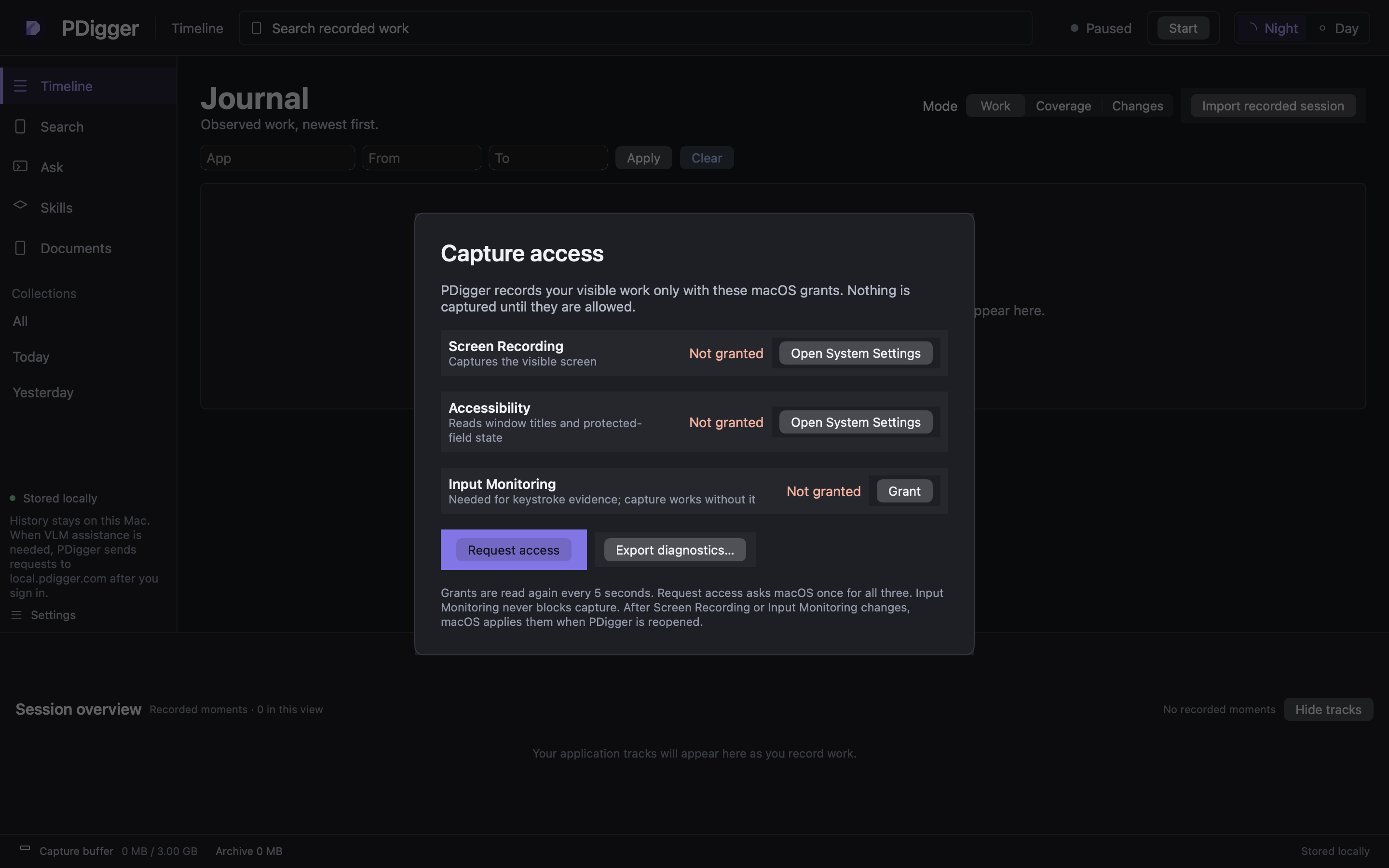
First steps
Install the app, grant capture access, sign in when you need VLM assistance, and start recording.
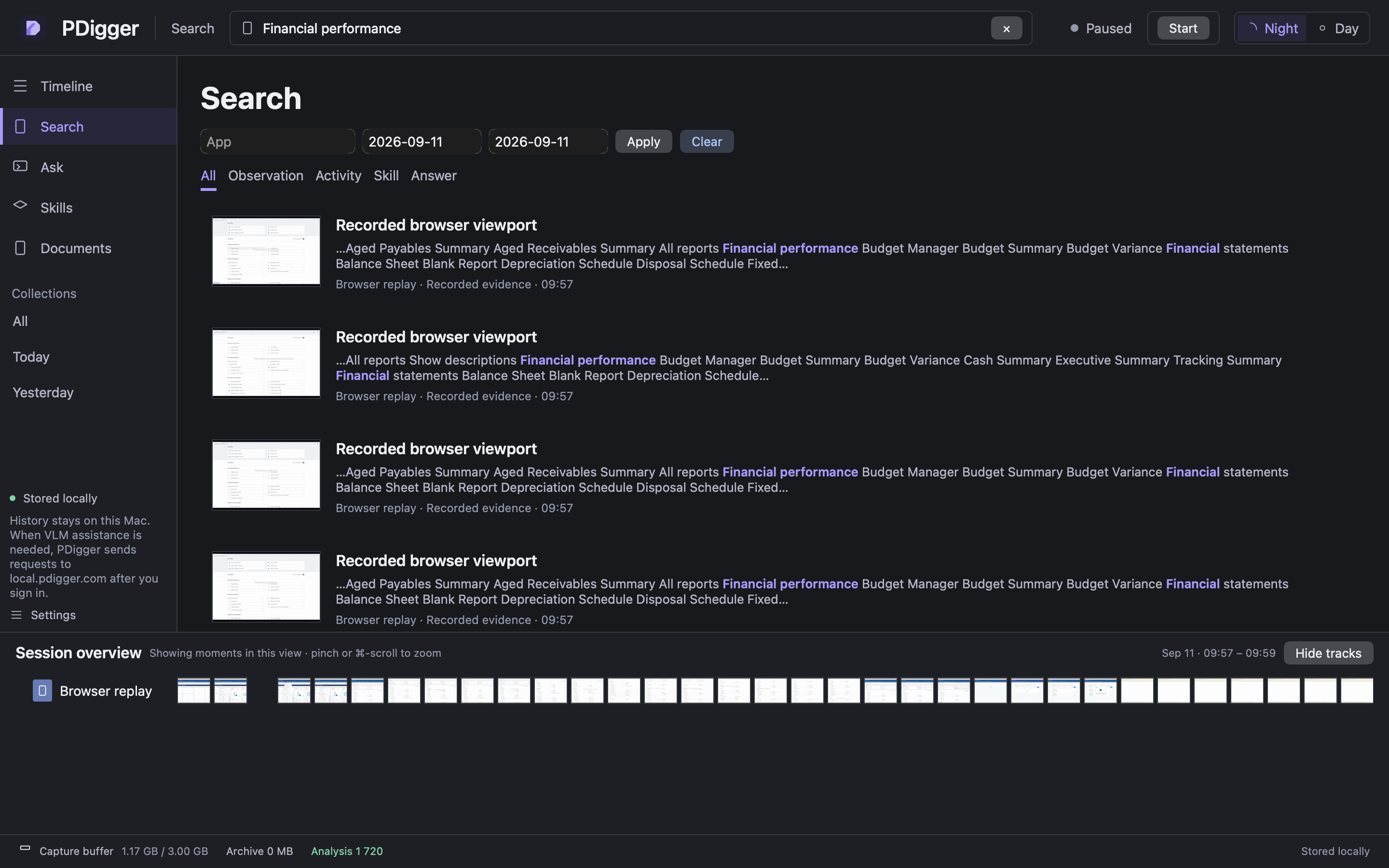
Search for Excel work
Find an Excel export or Financial performance report from words that were actually on screen.
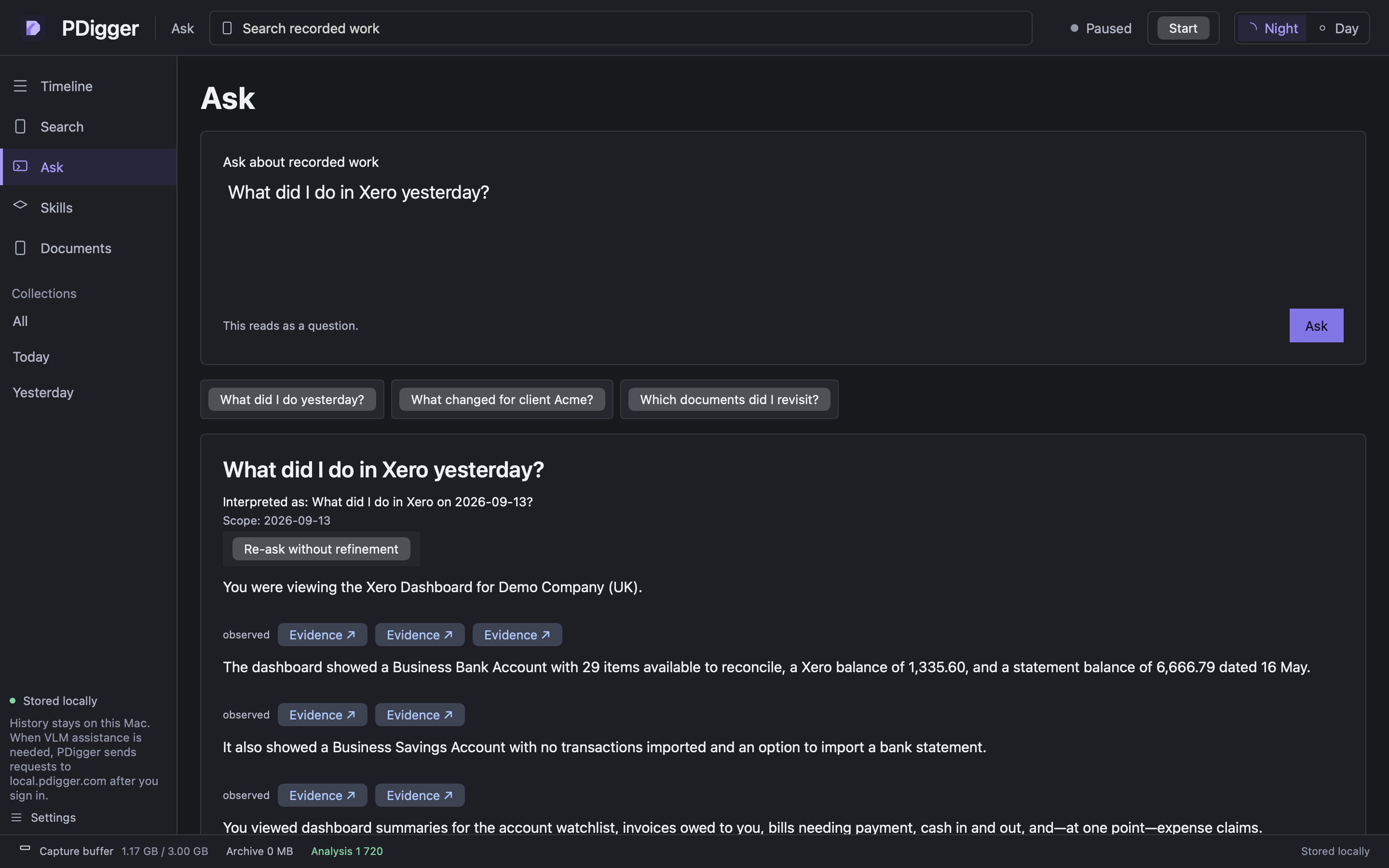
Ask about Xero
Ask what you did in Xero, read the interpreted question, and compare each claim with its evidence.
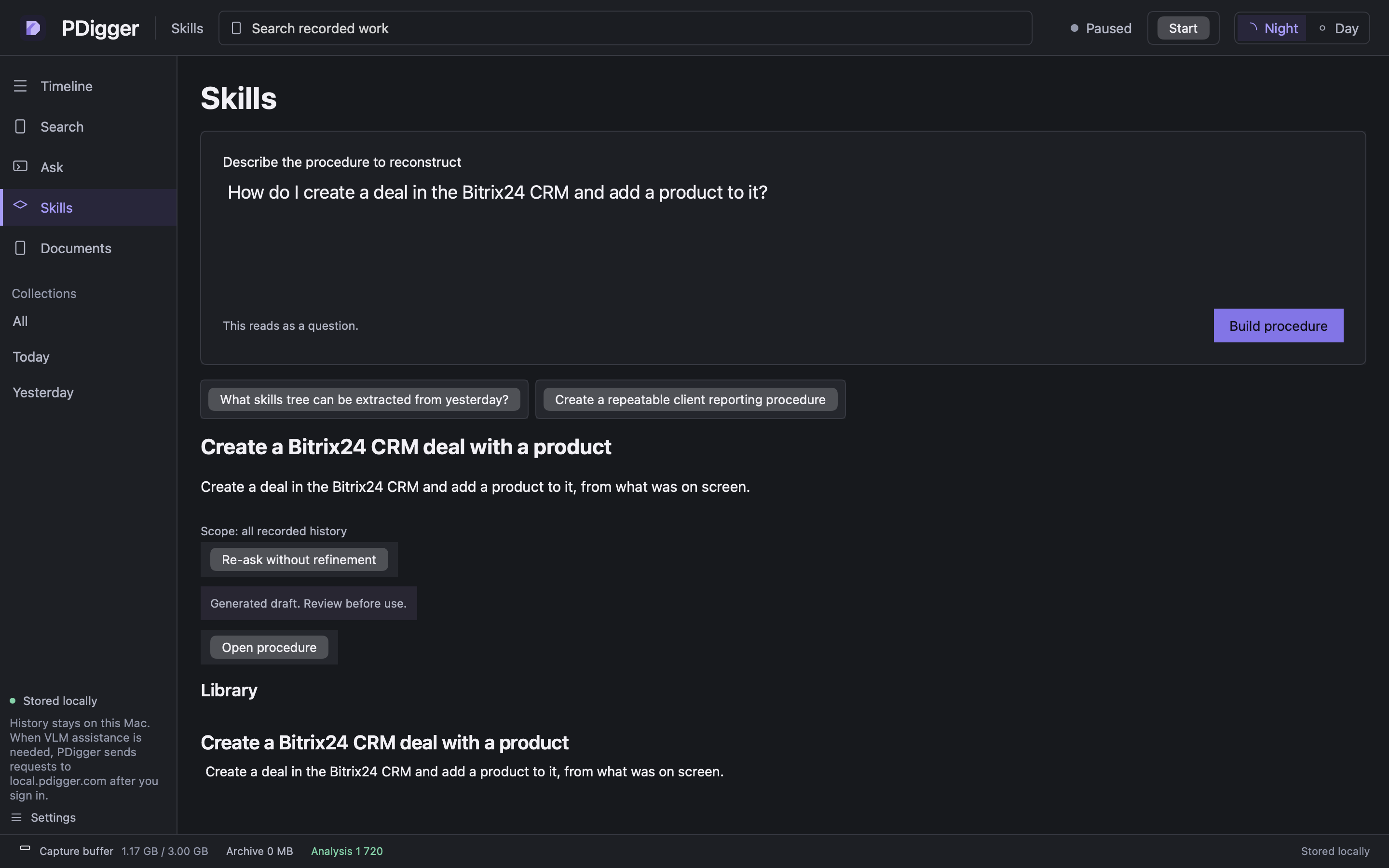
Turn Bitrix work into a skill
Ask PDigger to reconstruct a Bitrix24 procedure, then review the draft. The app does not run it.
Timeline modes, document maps, the inspector, Settings, and what stays on this Mac: More features.